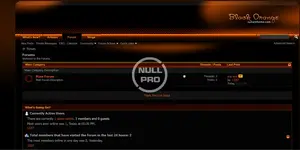
Black & Orange Style vb

Black & Orange Style vb 4.2.x

No permission to download
Short Description
Install INSTRUCTIONS quickly by extracting ZIP, uploading skin folder via FTP to forum/images/, log into admincp, choose Styles & Templates -> Download/Upload Styles, import vbulletin-style.xml for seamless integration.
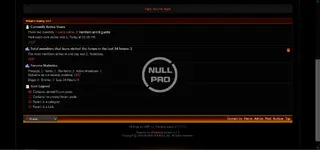
Black Orange style vBull 4.2 (1).webp


Black Orange style vBull 4.2 (2).webp

INSTRUCTIONS ON INSTALLATION::

1. Extract ZIP folder.There will be Upload foler, PSD folder and readme.txt
2. In the Upload folder, there is a skin folder, please upload the skin folder using FTP into your forum images/ directory
(eg for Achik , upload the Achik folder into your vBulletin 4.0.x forum /images folder.

*******************************************
3. Log into your vBulletin admincp.
4. Choose Styles & Templates -> Download/Upload Styles
5. Under Import Style XML File, click on "Browse..."
6. Find the Upload folder (from the ZIP you downloaded-extracted). Select the vbulletin-style.xml.
7. Click Import
Author
theresa
Views
459
Extension type
zip
File size
1.6 MB
First release
Last update
Ratings 0.00 star(s) 0 ratings
Link was Broken? Send message to the Website Team and we will assist you quickly!
Support Developer If you are satisfied with the test or your project has earned you money, Click the More Information button to support the developer by purchasing.

More resources from theresa

Numeric - SEO Digital Marketing WordPress T
Welcome to Numérique, a modern Digital Marketing and SEO Theme.
Conversion Exporter by PixelYourSite T
Google Tag Conversion CAN'T track everything. Conversion Exporter fixes it.
Emage - Image Hover Effects for Elementor T
Showcase your content in beautiful hover effects with Emage addon for Elementor.

Similar resources

Blackjack - Members Shop Add-On H
a members shop add on what allows your members to gamble their hard earned points playing Blackjack
FiveStyle T
IPS FiveStyle V1.0.5
FiveStyle theme was created for roleplay FiveM communities
Back
Top