

- XF Compatibility
- 2.2.x
- Short Description
- Unlock hidden potential with XenGenTr Hidden Content plugin - hide content from search engines while maintaining user experience. Features include on/off toggle, customizable hiding options for forums, profiles, and more. Setup via adminCP or FTP. Customize settings in Appearance & Languages > Theme Properties.
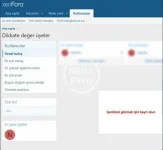
With [XenGenTr] Hidden Content, you can hide content for visitors without being affected by search engines.
Features
You can turn the plugin on or off.
You can hide forum content.
You can hide subject content.
You can hide the What's new field.
You can hide new messages.
You can hide profile messages.
You can hide street activities.
Users can hide the area.
You can change the content notice.
You can change the content text color.
You can change the color of the content alert box.
Setup
You can upload the plugin as an archive from admincp -> Extensions. If you wish, you can install the file you extracted from the zip by sending it to the main directory via FTP.
To go to the plugin's settings, you can make your settings from admincp -> Appearance and languages -> Theme properties -> [XenGenTr] Hidden Content Settings. When you get to the Theme properties area, make sure that the theme you are using is selected.


![[AndyB] Content voting manager](/data/resource_icons/26/26624.jpg?1763494419)
![[AndyB] Content watch manager](/data/resource_icons/7/7406.jpg?1720149273)
![[AndyB] New content email](/data/resource_icons/1/1319.jpg?1720149245)