Oxygen Gutenberg Integration

Oxygen Gutenberg Integration 1.4.6

No permission to download
Short Description
Create Gutenberg blocks easily with Oxygen—just drag & drop. Design your custom blocks in Oxygen and use them directly in Gutenberg for seamless customization. Edit any block to update all instances instantly. Share designs across multiple sites using Oxygen's built-in tools or WordPress features.
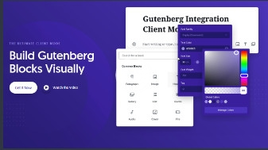
06202201_12.webp


Create Gutenberg blocks with Oxygen
Forget about JavaScript complexity and simply drag & drop your way to a Gutenberg block

————
Design your block in Oxygen
Just like designing a page, anything you design in Oxygen
can be used as a Gutenberg block.

————
Use your block in Gutenberg
From the Gutenberg editor, add your block to your page
and customize text, images, icons, and link URLs.

————
Edits made to the original block take effect
everywhere it is used
Need to change the design of a block? Open it in Oxygen and edit it.
Changes take effect for all instances of that block.

————
Share blocks across websites
Using Oxygen's User Design Library feature or the default
Import/Export tool in WordPress, you can re-use
your blocks across other websites.
  • Like
Reactions: radw and dddawc
Author
baumgartner
Views
508
Extension type
zip
File size
20.1 KB
First release
Last update
Ratings 0.00 star(s) 0 ratings
Link was Broken? Send message to the Website Team and we will assist you quickly!
Support Developer If you are satisfied with the test or your project has earned you money, Click the More Information button to support the developer by purchasing.

Latest updates

  1. 1.4.6 - change log
    no change log for this version
  2. v1.4.3 - v1.4.3
    Download Oxygen Gutenberg Integration v1.4.3 Nulled Free Changelog Not Found!
  3. v1.4.2 - v1.4.2
    Download Oxygen Gutenberg Integration v1.4.2 Nulled Free Changelog Not Found!

More resources from baumgartner

WooCommerce 360° Image B
Add a responsive 360º image rotation to your products
LatePoint - Appointment Booking & Reservation plugin for WP B
LatePoint – Simple & Intuitive Appointment Booking Plugin
WooCommerce Upload Files By Vanquish B
Upload any file any size from the product, cart, checkout, thank you and/or order details pages!

Similar resources

360° Photo Viewer (Virtual Tour) for Elementor, Gutenberg and WPBakery T
With the help of this plugin you can easy create a virtual tour for any locations.
Advanced Form Integration Pro T
Streamline your online business operations by effortlessly linking WooCommerce and Contact Form 7
Bit Integrations Pro T
Bit Integrations Pro 2.7.7 Nulled
This plugin Connects WordPress Plugins and external applications seamlessly.
Back
Top