

- Short Description
- Quinnie - Modern Plastic Surgery & Beauty Center Template Kit. 16+ responsive, fully customizable templates for a professional website with Elementor. Easy setup, no coding required. Responsive design, retina-ready, cross-browser compatible (Chrome, Firefox, Safari, Opera). Includes Home, About Us, Services, Appointment, Pricing, Doctor, FAQ, Blog, Contact pages. Install via Envato Elements plugin.
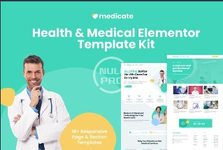
Quinnie is a modern and clean Elementor Template Kit for Plastic Surgery Center, Rhinoplasty Clinic, Cosmetic, Dermatology Clinics, Skin Care Center, Dermatologists, Cosmetologists, and any kind of beauty products and services. This template has a professional design with a 100% responsive layout, retina- ready, and is very easy to customize because using Elementor so you don’t need a single line of coding!
This template kit includes stunning carefully crafted 16+ stunning templates, you can build your professional-looking company business website just a click away.
Features:
- Using Free Plugins (Elementor Pro is not required)
- Modern & Clean Design
- 16+ Ready to use templates
- Fully Responsive Layout
- Retina Ready
- Fully Customizable
- Cross Browser Compatibility: Chrome, Firefox, Safari, Opera
- Home
- About Us
- Services
- Appointment
- Pricing
- Doctor
- FAQ
- Blog
- Single Blog
- Contact
- MetForm Appointment
- MetForm Contact
- 404 Page
- Header
- Footer
- Global Theme Style
- Elementor
- Jeg Elementor Kit
- Elementor - Header, Footer & Blocks
- MetForm
- Install and Activate the "Envato Elements" plugin from Plugins > Add New in WordPress
- Do not unzip
- Go to Elements > Installed Kits and click the Upload Template Kit button.
- Before importing a template, ensure the Install Requirements button is clicked to activate required plugins
- For best results, do not import more than one template at a time.
- Go to Pages and create a new page and click Edit with Elementor
- Click the gear icon at lower-left of the builder to view page settings and choose Elementor Full Width and hide page title
- Click the gray folder icon to access My Templates tab and then Import the page you'd like to customize


