

- Short Description
- Uppercase is a modern WordPress theme for blogs and magazines, featuring 9 beautifully designed demos with Demo Switcher. Enjoy Dark Mode for better low-light viewing, multiple page header types, Smart Colors for automatic text adjustments, customizable layouts, and Super-Fast Mega-Menu for seamless navigation.
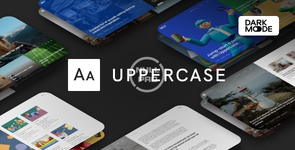
Uppercase is a modern and clean WordPress theme for modern content-based blogs and magazines.
9 Beautifully Designed Demos in One Theme
Thanks to our signature feature, the Demo Switcher, you may apply a new demo any time without affecting your content. If you feel bored with one of the demos, simply apply a new one and get a completely different appearance of your blog or magazine.Turn on Dark Mode for a great viewing experience especially in low-light environments.
Dark Mode is a dramatic new look that’s easy on your eyes and helps you focus on the content. It uses a dark color scheme and is activated automatically based on the browser’s preferred settings or manually with a toggle.
Turn on Dark Mode to give your eyes a break.
There are three different page header types for your posts and pages. Display your featured posts’ header with an image overlay or a smaller page header.
When you select a dark background color for your header or footer, the text and links color will automatically change to white. You don’t need to set up a lot of color option, as most of them will work automatically based on your selection.
Customize with Instant Live Preview
All theme options can be configured with the native WordPress customize feature. Forget the outdated settings pages and manually refreshing your page to see the changes. Preview all the changes live while configuring your perfect blog or media.Multiple Archive Layouts for Homepage and Archive Pages
Choose from different post archive layouts for your homepage and archive pages. Display your posts in grid, list, or full layouts.Select the matching page layout for your homepage, archives, posts, and pages. Display a sidebar on either the left or right side or use the full-width page layout for your content.
Showcase your recent posts with a thumbnail right in the menu dropdown. Don’t worry, the menu will not slow down your website, as the content is requested dynamically, only when a user hovers over the parent menu item.
Nulled Method:
Content of this hidden block can only be seen by members of: Bronze Member


