

- Short Description
- WooCommerce and Zoho CRM Connector Pro seamlessly syncs WooCommerce orders to Zoho CRM, automatically creating Contacts, Leads, Accounts, and Potentials. Features include manual or automatic updates, custom field mapping, notes, potential creation, account association, workflow triggers, and order status-based notifications.
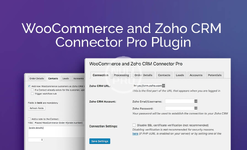
The WooCommerce and Zoho CRM Connector Pro plugin transfers data from the WooCommerce store on the WordPress website to the Zoho CRM platform. Users can manually or automatically create Contacts, Leads, Accounts and Potentials within the CRM based on data in the order and elsewhere in the WooCommerce database.
Please note: The WooCommerce and Zoho CRM Connector Pro plugin has been created to work with the free version of Zoho CRM and is not designed to work with some of the features in the premium version of the customer relationship management application. The WooCommerce and Zoho CRM Connector Pro plugin is not designed to create Products or Sales Orders in Zoho CRM, but is intended to work with Contacts, Potentials, etc.
WooCommerce and Zoho CRM Connector Pro Plugin Features:
- Add customers as contacts and/or leads in Zoho CRM when they place an order in your WooCommerce store.
- Optionally update contacts and/or leads for customers with existing records in Zoho CRM.
- Additional features in the Pro version only:
- Edit the mapping of WooCommerce data into Zoho CRM Contact, Lead, Account, and Potential fields.
- Add a note to the contact and/or lead corresponding to the customer.
- Create a potential based on the order and linked to the customer’s contact record (if one was found or created).
- Associate contacts with an account, creating or updating the account if necessary.
- Trigger workflow rules.
- Send order data to Zoho CRM on order status change (Pending Payment, Processing, Completed, or a custom status) rather than on order creation, or only send order data manually.
- Manually send individual orders to Zoho CRM from the Order Actions menu on the Edit Order page.
- Manually send orders to Zoho CRM individually or in bulk from the order list.
Content of this hidden block can only be seen by members of: Bronze Member


