Customize the columns on the admin lists Module

Customize the columns on the admin lists Module 2.0.2

No permission to download
PrestaShop Compatibility
  1. 1.7.x
  2. 8.x
Short Description
Customize your PrestaShop back-office lists for efficient order, customer, and address management with customizable columns. Easily add or replace default fields across Orders, Customers, Addresses, Cart, and SAV tabs. Filtered attribute list available for quick field addition. Test module on demo site.
customize-the-columns-on-the-admin-lists (1).webp

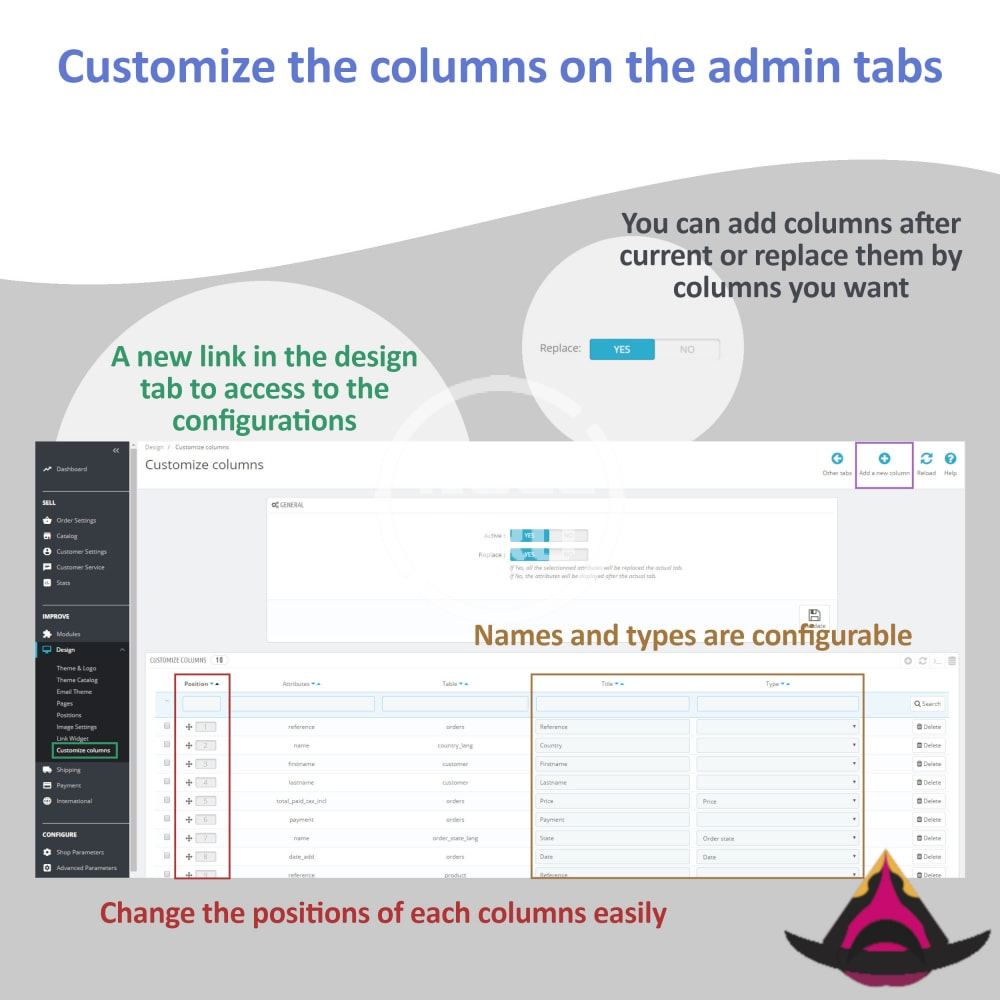
This module allows you to customize the columns of your lists in the back office to be more efficient when looking for information of your orders, service messages that you receive or the information of your customers.

Features

This module allows to:
  • Replace default columns
  • Add columns to default
  • Save columns configuration

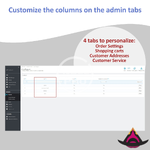
On the back-office tabs:
  • Orders
  • Customers
  • Addresses
  • Cart
  • SAV

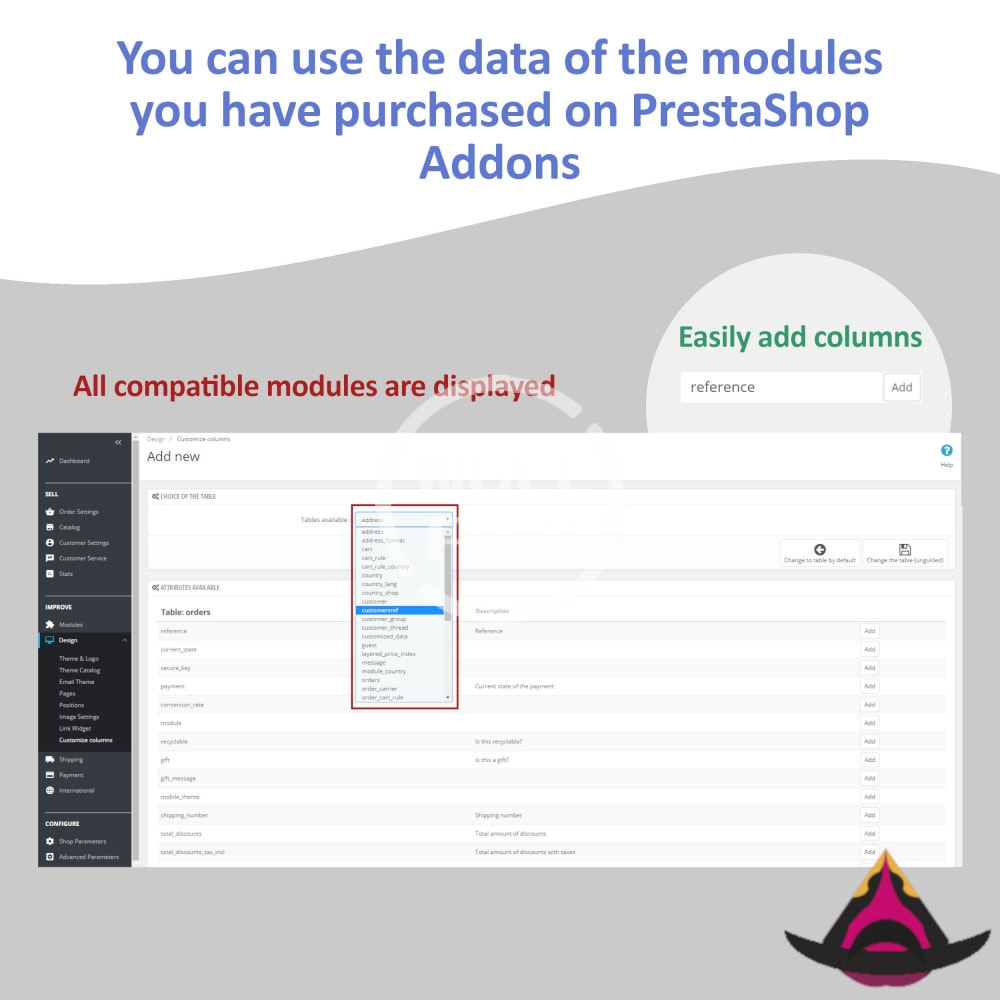
A list of fields is available on the configuration page to allow you to quickly and easily add the most used fields.

Can't find the column you want? A much larger list of all the attributes of your database is available by clicking on the add button at the top right of the configuration screen.
These attributes are filtered to be compatible with the tabs.
You can use the data of the modules purchased on the Prestashop market (related to the tab).

Do not hesitate to test the module from the demo site available by clicking on the button located above on this page.
  • customize-the-columns-on-the-admin-lists (2).webp
    customize-the-columns-on-the-admin-lists (2).webp
    274 KB · Views: 0
  • customize-the-columns-on-the-admin-lists (3).webp
    customize-the-columns-on-the-admin-lists (3).webp
    221.1 KB · Views: 0
  • customize-the-columns-on-the-admin-lists.webp
    customize-the-columns-on-the-admin-lists.webp
    139.1 KB · Views: 0
Author
hellobut
Views
760
Extension type
zip
File size
446 KB
First release
Last update
Ratings 0.00 star(s) 0 ratings
Link was Broken? Send message to the Website Team and we will assist you quickly!
Support Developer If you are satisfied with the test or your project has earned you money, Click the More Information button to support the developer by purchasing.

Latest updates

  1. 2.0.2 - 7/24/2025
    [FIX] Minor bug fixed
  2. 1.13.0 - 10/9/2024
    [UPDATE] 8.2.0 Compatibility
  3. 1.12.3 - 7/19/2024
    [NEW] Columns phone from the billing address added on the orders list

More resources from hellobut

Porto | Multipurpose & WooCommerce Theme H
Porto Wordpress is an ultimate business & woocommerce wordpress theme
Combine guest, customer accounts H
Combine one, two or more guest accounts which share a same email into one registered account.
RSFirewall! - safe protected  RS Firewall H
RSFirewall! is the most advanced Joomla! security service that you can use to protect your Joomla!

Similar resources

Customize the columns on the products list Module Y
allows you to customize the columns of the Product list in the back office
Admin Login as Customer | Access User Account Module Z
allows the admin to see his customers front end by logging in to their account.
Administrative Mandate Module Y
This module makes administrative payment logistics easy
Back
Top