DMU CSV or EBP accounting export

DMU CSV or EBP accounting export 3.1.2

No permission to download
PrestaShop Compatibility
  1. 1.7.x
  2. 8.x
Short Description
Simplify your accounting tasks with DMU's CSV/EBP export module, available now. Save time by importing data directly into EBP, Sage, Cegid, or send to accountant in CSV format.
1594508-pbig.webp

Why do members want to download DMU CSV or EBP accounting export from here? Because this resource was immediately available as of 2025-05-11, It received professional maintenance and updates when it was released synchronously on NullPro.


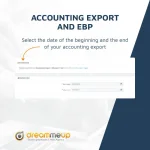
The CSV or EBP accounting export module enables you to create a file from date to date, ready to be imported into your accounting software such as EBP, Sage or Cegid, or to be sent to your accountant in CSV format.

Saves you time !
With this module, you'll save precious time entering your accounting entries into your accounting software. This module will enable you to export accounting entries from your Prestashop invoices and import them into your accounting software with a CSV or directly for EBP, Sage or Cegid accounting software.
Author
Zechariah
Views
266
Extension type
zip
File size
4.2 MB
First release
Last update
Ratings 0.00 star(s) 0 ratings
Link was Broken? Send message to the Website Team and we will assist you quickly!
Support Developer If you are satisfied with the test or your project has earned you money, Click the More Information button to support the developer by purchasing.

More resources from Zechariah

Driving Exam Android App Z
Application is the ready made complete Driving Exam application.
Houzi real estate app Z
a full featured Flutter application to connect to your existing Houzez Wordpress Website.
AI Chat & Search Pro Z
Add an AI assistant to your website that helps visitors find what they need in any language.

Similar resources

(AM) Accounting export H
Export your orders formated for accounting
Orders (CSV, Excel) Export PRO Module A
Module allows you to do a CSV or EXCEL export of your data from your orders function.
Back
Top