

- Short Description
- Take control with Genesis DevKit's intuitive point-n-click design for all skill levels. Easily transform website ideas into professional realities without coding knowledge. Install via WordPress and activate to start designing now. For support, visit Cobalt Apps at https://cobaltapps.com/my-account/.
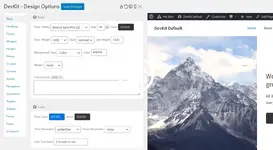
Take Complete Design Control With Point-N-Click Options. This isn't your typical set of web design toggles and switches. Genesis DevKit provides a robust set of highly intuitive point-n-click design options that provide users of all skill levels with the ability to turn their website ideas into professional realities!
## Installation
1. Upload the entire 'genesis-devkit' folder to the '/wp-content/plugins/' directory -- or just upload the ZIP package via 'Plugins > Add New > Upload' in your WP Admin
2. Activate the plugin through the 'Plugins' menu in WordPress
3. In your left-hand WordPress sidebar you'll find the Genesis DevKit admin pages, showing that the Plugin was successfully installed and activated
4. That's it!
### Cobalt Apps Support & Resources
https://cobaltapps.com/my-account/
### Contact Us
https://cobaltapps.com/contact-us/Nulled Method:
Content of this hidden block can only be seen by members of: Bronze Member


