Woocommerce Zoho Plugin

Woocommerce Zoho Plugin 1.5.8

No permission to download
Short Description
Easily sync WooCommerce orders with Zoho CRM, Books, Inventory, Invoice, and Bigin using our Pro plugin. Map fields, choose export events, and receive error reports for full control over your data flow. Purchase now!
11202203_05.webp

Woocommerce Zoho Plugin Pro​

Send WooCommerce order data easily into Zoho CRM, Books, Inventory, Invoice, Bigin. Order data will be sent to your desired object according to the rules you put in place. Purchase a license below & get complete control over how you use your WooCommerce data.

Key Features and Screenshots:
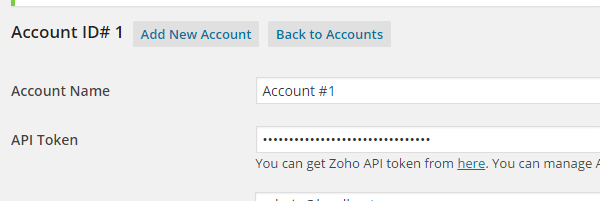
1. Connect Account​

woocommerce-zoho-account.png


Connect Zoho Account by safe and secure Oauth2.0. Following Zoho Products are supported
  • CRM
  • Books
  • Inventory
  • Invoice
  • Bigin

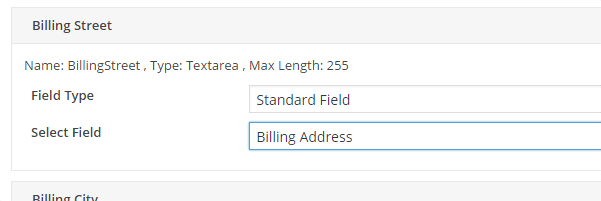
2. Fields Mapping​


woocommerce-fields-mapping.png


Easily map WooCommerce Order fields to any Zoho Object fields.
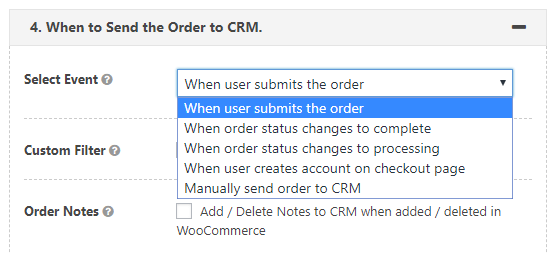
3. Export Event​

woocommerce-export-event.png

Choose when WooCommerce Order data should be sent to Zoho.

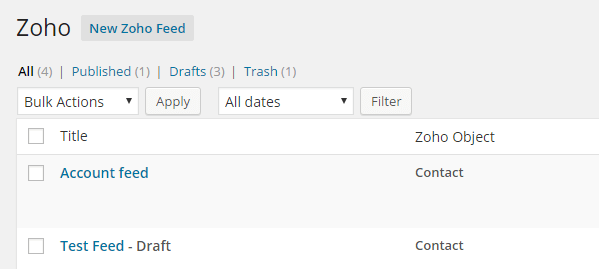
4. Multiple Feeds​

woocommerce-zoho-feeds.png


A Feed determines how WooCommerce orders data should be sent to Zoho CRM. You can create multiple feeds & setup conditions for sending entries to Zoho.
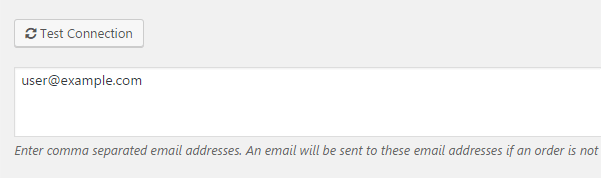
5. Error Reporting​

error-reporting.png

If there is an error while sending WooCommerce Order data to Zoho CRM, an email containing the error details will be sent to the specified email.

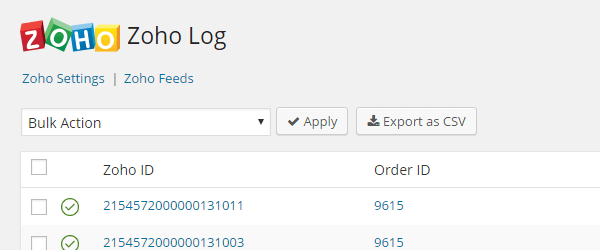
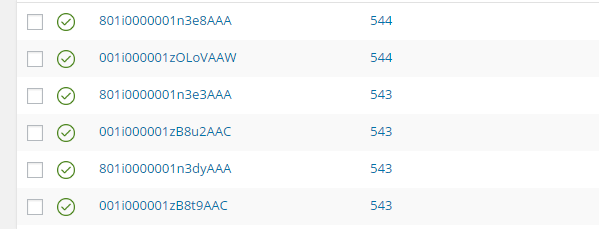
6. CRM Logs​

crm-logs.png

View a detailed log of each WooCommerce Order sent (or not sent) to Zoho CRM and easily resend an entry to Zoho.

7. Export Logs as CSV​

woocommerce-zoho-logs.png


Easily export Zoho CRM Logs as a CSV file for forecasting, bookkeeping, and accounting purposes.
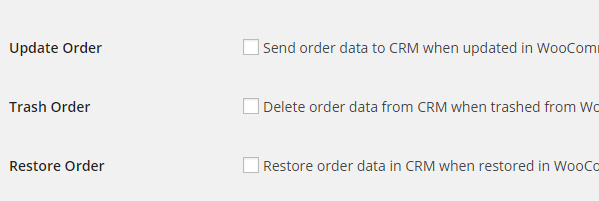
7. Full Synchronization​


woocommerce-crm-synchronization.png


All WooCommerce Orders are fully synchronized with Zoho CRM. If you update/delete/restore an Order that Order will be updated/deleted/restored in Zoho CRM.
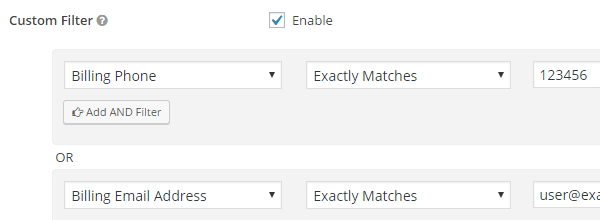
8. Filter Entries​

filter-entries.png


By default all WooCommerce Orders are sent to Zoho CRM, but you can apply filters & setup rules to limit the entries sent to Zoho CRM.

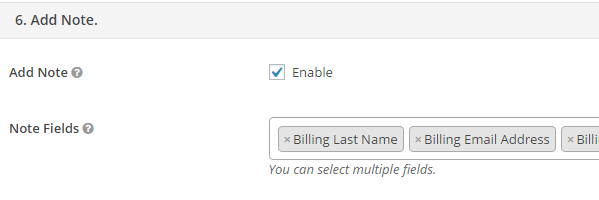
9. Send Data As Notes
send-data-as-notes.png


You can send one to many fields data as Zoho CRM entry Note.


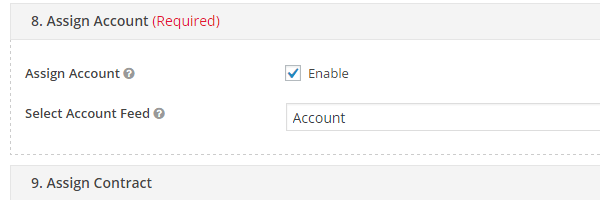
10. Assign Objects
woocommerce-assign-objects.png


An Object created/updated by one feed can be assigned to the Object created/updated by other feed.

Just enter any key to active the plugin.
Author
pansy
Views
325
Extension type
zip
File size
770 KB
First release
Last update
Ratings 0.00 star(s) 0 ratings
Link was Broken? Send message to the Website Team and we will assist you quickly!
Support Developer If you are satisfied with the test or your project has earned you money, Click the More Information button to support the developer by purchasing.

Latest updates

  1. 1.5.8 - change log
    * fixed "shipping tax" issue.
  2. 1.5.6 - changelog
    fixed "items SKU search issue with zoho inventory".

More resources from pansy

Aimogen Pro - All-in-One AI Content Writer, Editor, ChatBot & Automation Toolkit P
The AIomatic plugin will allow you to publish new posts with AI generated or to update old posts
WooCommerce Bulk Stock Management P
Bulk manage stock levels and print out stock lists from admin
WooCommerce Flat Rate Box Shipping P
Advanced Shipping Rates using Box Packing Flat rate box shipping lets you define costs for boxes to

Similar resources

AI Commerce – WooCommerce AI Plugin for Sales & Store Automation N
a next-generation AI-powered WooCommerce plugin suite designed to transform modern
AliExpress Dropshipping Business plugin for WooCommerce M
Ali2Woo plugin allows you to easily import any AliExpress products directly.
B2B Pro - Powerful WooCommerce B2B & WooCommerce Wholesale Plugin L
B2B Pro Powerful WooCommerce B2B & WooCommerce Wholesale Plugin
Back
Top